Procurement Admin
Set up the organisation
Departments, permission levels and the category tree, arranged so that maintaining them later has no special cases.
- Duration: 20 min
- Level: Intermediate
- Read first: An overview of e-Request
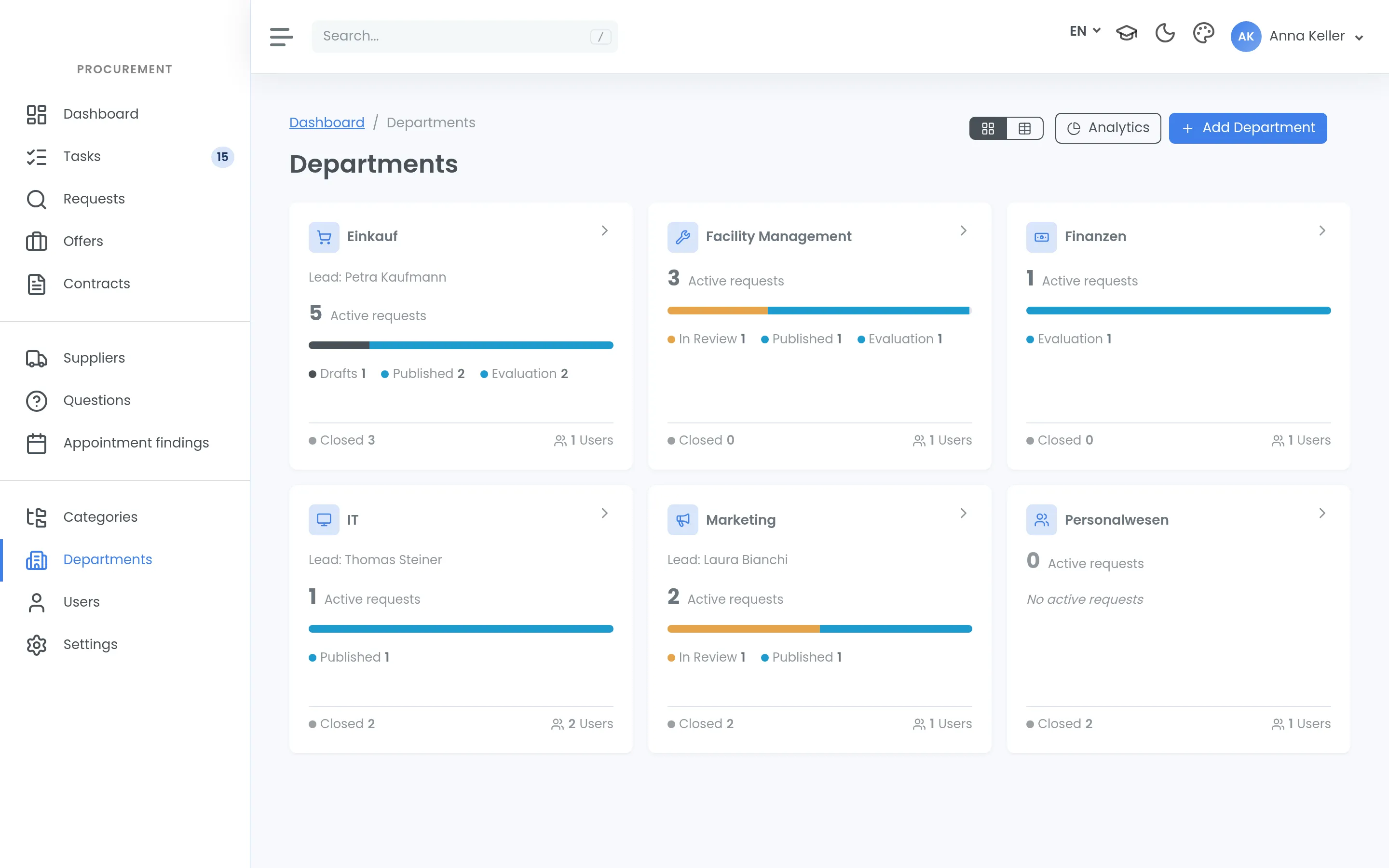
The structure decides how easy permissions are to maintain later. It is worth being slow here.
Departments and permission levels
Departments mirror your organisation. Each one has three levels:
- Member — works in the department
- Reader — sees along, without acting
- Lead — is accountable for the department
Only create what you are willing to maintain. Every extra department is another list that wants updating whenever someone changes job.
The category tree
Categories organise your purchases — and they can be mapped to the CPV-2008 classification. If you buy in the public sector, this is where your internal structure connects to the official one.
Start coarse. A tree with forty branches, thirty of which are never used, only makes the choice harder for everyone else.
Two mistakes that hurt later
- Too fine a structure. Every unit you create is one you will also have to maintain.
- People instead of roles. Rights hung on individuals get rebuilt at every staff change.
What does not belong here
The process of a procurement. It is hard-wired and not part of setup — see What is configurable, and what is not. Using the organisation structure to reproduce a special process builds something the software does not know about.
Done when you can explain the structure to a colleague in two minutes.