Department User
Track the status
Where your request stands, what you are allowed to see — and what is deliberately not shown to you.
- Duration: 15 min
- Level: Getting started
- Read first: Raise a need
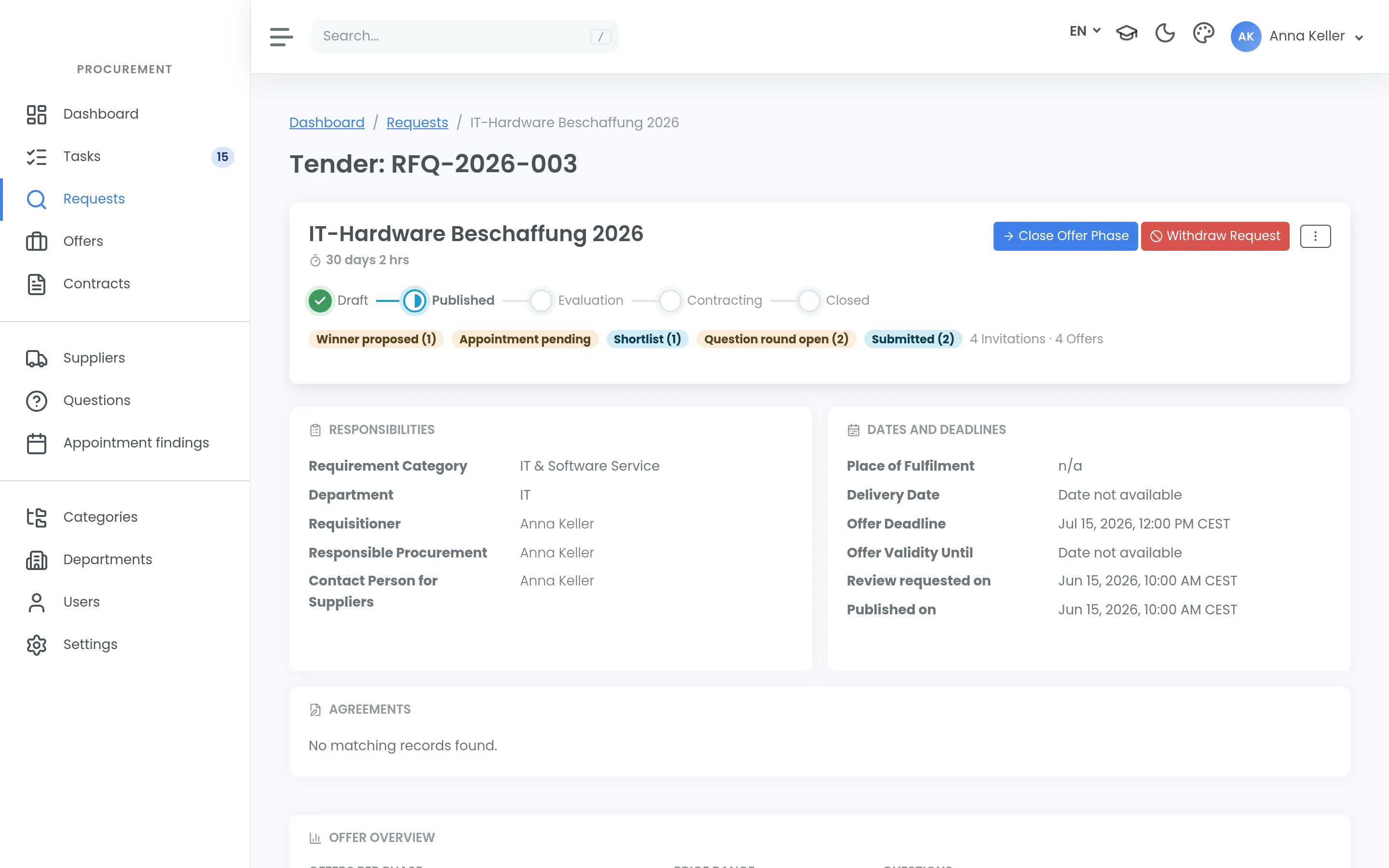
After submitting, the most common question is: “and now?”
Where to look
- Task list and calendar view — what is expected of you, and when.
- Activity feed on the dashboard — what happened most recently.
- Global search — across everything you are entitled to see.
The metric tiles on the dashboard are counts: volumes and cycle times. They are not an analysis and certainly not a savings calculation — the product has none.
Whose turn it is
Every request has exactly one responsible party at any moment. Knowing which one tells you who to approach.
Between invitation and submission the ball is with the supplier, and nobody can speed that up: the deadlines are set, and shortening them would destroy the comparability of the offers.
What you see, and what you do not
This regularly surprises people, so explicitly:
You see every supplier, with their states and contact details. Whoever formulates a need should know who the organisation works with.
You do not see:
- Prices and offer details from other tenders
- Suppliers’ qualification data
And there is no direct contact form to a supplier. That is not a convenience gap: a running procedure must not be influenced outside the procedure. If you need to clarify something technical, it goes through procurement — and where it concerns everyone, through the question round, so that every bidder gets the same answer.
How a tender ends
A closed tender shows its outcome: Closed with award, Closed without award or Cancelled. Cancelled means procurement withdrew it. Only procurement can do that, and it cannot be undone — starting again means copying the tender.
So if your need goes away, tell procurement rather than letting the tender run out. Suppliers then receive a clear email instead of a rejection that is not really one.
When chasing makes sense
Not at every step — but when a date you have promised is approaching. A short note with a date works better than a general enquiry.
On mobile
The interface works on mobile devices; there is no separate app. For a look at the status your phone is enough; for entering a need, a computer is the better choice.